CricBet99 Sign Up — Register With a +91 Number in Four Easy Steps or One Chat
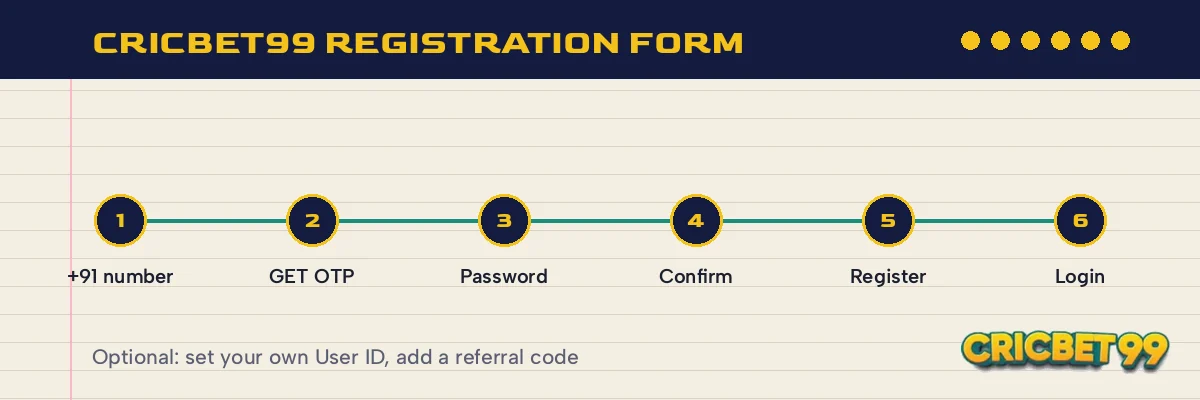
An Indian SIM in your hand is the one thing CricBet99 sign up really requires. The form prints +91 for you, hands a one-time code to that phone through GET OTP, asks for one password twice and finishes on Register. A username of your own is optional, and a chat with the WhatsApp desk can replace the form entirely.
These two boxes are read-only, so nothing you type here goes anywhere; the real CricBet99 registration form opens on the portal, and the WhatsApp desk on +91 81097 11726 can register you instead. Adults 18+ only.
CricBet99 Register Form: Every Official Box, Read Field by Field
Seven items. That is the whole CricBet99 register form, top to bottom, and the ledger below takes them in the order your eye meets them, with what each one wants from you and what usually goes wrong wrong there.
+91 prefix
Fixed text, not an input. It tells you the CricBet99 form is built around Indian numbers, and typing 91 again in the next box is a common slip that leaves the entry two digits too long.
Enter Mobile Number*
Your ten-digit mobile number, without a leading zero and without +91 again. The asterisk marks it as required. This number becomes the account's anchor, so use a phone you will still have next season.
GET OTP
The key fixed to the right of the number box. Nothing leaves the form until you press it, so a wrong digit costs nothing yet; once pressed, the code travels to whichever phone those ten digits belong to.
Enter Password*
Here CricBet99 lets you pick the secret from day one. Accounts opened through the desk begin with a temporary one that has to be replaced later; this route skips that chore.
Enter Confirm Password*
The same password again, character for character. A single mismatched capital stops the form.
Want to set UserID?
A toggle, off by default. Switch it on only if you want a username of your own on top of the mobile number.
Have a referral code?
A second toggle. Leave it closed unless someone gave you a code; this site has no information on what a code adds, so none is promised here.
Under those seven sits the Register key itself, then a block offering a ready-made ID from WhatsApp, and at the very bottom an Already Have An Account? Login line for anyone who landed on the wrong card. Easy to overlook.
None of the seven asks for money, a bank detail or an address. The CricBet99 form is identity and password only, and the account that comes out of it is the same one that opens the lobby on any working mirror address and in the Android app.
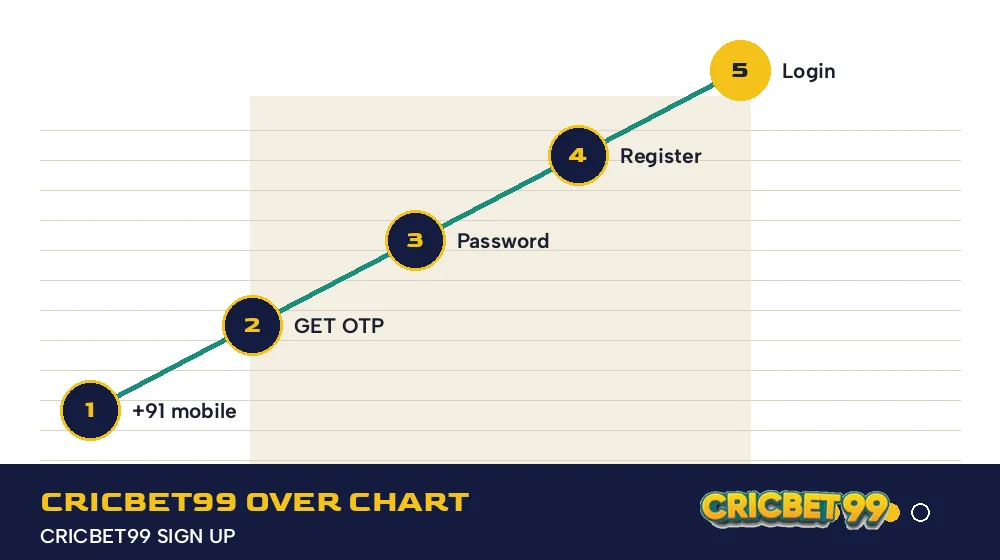
Number, code, password, confirm, Register: the CricBet99 form ruled out as one over.
CricBet99 Registration Step by Step: A Quick Run From +91 to Register
The order matters more than people think. Doing the code befoe the password, or the password before the number is checked, is how most CricBet99 registration attempts end up being typed twice.
Open the sign-up form. Use the Signup key at the top right of the CricBet99 lobby, or the Register line under the sign-in card if you opened Login by habit.
Fill Enter Mobile Number*. Only the digits of your own SIM, starting right after the printed prefix. Check them against the number shown in your phone settings rather than from memory.
Tap GET OTP and enter the code. Keep the form open while you switch to your messages; closing the tab can mean starting again.
Set the password in Enter Password*. Pick something that has never appeared in a chat or on another site.
Copy the same secret into Enter Confirm Password*. Retyping by hand beats pasting, because clipboards love a trailing space that the form will count.
Decide on the two toggles, then press Register. UserID and referral code are both optional; leave either one off and the CricBet99 form still completes.
A worked example, with an invented number so the shape is clear: you type 98xxxxxx10 after the +91, tap GET OTP, wait for the code to arrive on that phone, enter it, set a password, type it a second time, leave both toggles alone and press Register. Six moves in all (how fast the code turns up depends on your network, not on the form).
If the code is late, resist pressing GET OTP five times in a row. Each press starts a fresh request and the code that finally lands may belong to an earlier one, so compare the form with your SIM before asking again; after a second patient try with nothing to show, close the form and message the CricBet99 desk, since a half-finished form leaves no account behind.
CricBet99 Register Number Is Your Mobile: Plus the Optional, Easy UserID Toggle
People search for a cricbet99 register number expecting some special code. There is none. It is your own phone number.
The CricBet99 register number, your verified mobile
Ask what CricBet99 knows you by, and the answer is those ten digits after +91, proved with the code from GET OTP. Without the toggle they are also your sign-in name under the Mobile Number tab. The desk's WhatsApp line is a different number entirely; it is for contact, not part of your account.
Want to set UserID? a free, optional CricBet99 username
Off by default; the form works without it.
Switched on, it asks for a username of your choosing.
Your mobile number stays on the account either way.
Handy if you would rather not type your phone number on a shared screen.
Which to pick is mostly habit. If you already sign in to other things with a username, setting one at CricBet99 sign up saves you mixing up which identifier goes where; if you would sooner remember nothing new, leave the toggle off and let the mobile number do both jobs, keeping in mind that the password is the same whichever identifier you use.
One caution before moving on. Change phones and keep the old SIM? Fine. Lose the SIM, though, and the register number no longer receives codes, so a username set on day one becomes the easier way back in.
CricBet99 Sign Up Form or WhatsApp Desk: The Best Route for Each Case
Two doors lead to the same CricBet99 account. The form is self-service; the desk does the setup for you in a WhatsApp chat and sends the username and a temporry password back in that chat. Neither one is the wrong choice.
Your situation
Sign-up form
WhatsApp desk
You want your own password from the first minute
Yes, you set it in Enter Password*
The first password is temporary; you change it after signing in
The one-time code never reaches your phone
Stalls at GET OTP
No code needed on your side; the desk sets the account up
You want a username you picked yourself
Switch on Want to set UserID?
The desk issues the username
Typing on a small screen is a chore
Seven items to fill
One message to start the chat
Short version: form for control, desk for convenience. How the desk issues an account, and what the username and temporary password look like when they land, is set out on the CricBet99 ID page, while the digits of the desk line and the right way to save it are on the CricBet99 WhatsApp number page.
A middle path exists too, and it is common: people start the CricBet99 form, get stuck on the code, and finish through the desk without losing anything, because an unfinished form creates no account and therefore nothing has to be cancelled or merged afterwards.
CricBet99 Sign Up Login: Your First Secure Sign-In After Register
Register creates the account. Signing in is a separate moment, and the cricbet99 sign up login search usually comes from someone who pressed Register and now faces the sign-in card wondering which box takes what.
Leave the form for the sign-in card. A small link at the foot of the CricBet99 form, Already Have An Account? Login, goes straight there, which beats retyping the address.
Match the tab to how you registered. Username toggle left off: Mobile Number tab, register number in the box. Toggle on: User ID tab and the name you chose.
Enter the password you set on the form. Captcha next, then Login. No fresh secret is involved here, which is the quiet advantage of registering yourself rather than waiting on a temporary one.
Whether pressing Register takes you straight into the lobby or back to the sign-in card can vary between versions of the form, so do not read either outcome as an error. If the card refuses you, the cause is nearly always the tab: a mobile number typed under User ID, or the reverse. Mismatch fixed, it goes through.
The fuller sign-in drill, including the eye toggle, Forgot Password? and what to do when the captcha will not load, lives on the CricBet99 login page; repeating it here would only add length to a CricBet99 sign up that is already done.
After CricBet99 Registration: A Clear First Session Plan
A registered account starts at the lobby, not at a bet. Before anything else, confirm the balance on screen is your own CricBet99 account and not a demo figure, since the two look alike on the match board.
The first visit after CricBet99 registration is worth a short plan rather than a rush, and the order that tends to work is simple: find the cricket tab, look at how a match market is laid out, try Login with Demo if back and lay are new to you, and only then arrange a deposit through the WhatsApp desk over UPI, bank transfer or a wallet, with no amounts or timings published anywhere on this site. The step-by-step checklist for that first session belongs to the welcome to CricBet99 page, so it is not repeated here. Same ID everywhere, by the way: the account you just made opens the browser lobby, the Android app and any working mirror, so a blocked address later on means switching address, never registering again.
CricBet99 Sign Up Searches on One Clear Sheet: Register, Number and First Login
Five wordings bring people to this CricBet99 sign up page. They all end at the same form, but each one is asking about a different moment in it, so pick the tab that matches what you typed.
What the cricbet99 sign up form asks for on this page
The cricbet99 sign up form wants a mobile number after the +91 prefix, the code from GET OTP and a password typed twice. Pressing Register finishes it; cricbet99 register and sign up are the same action under two names.
Where the cricbet99 register number goes in the form
The cricbet99 register number is the mobile number you type into Enter Mobile Number*. It receives the one-time code and doubles as your sign-in identifier unless you also set a username.
How cricbet99 registration finishes without the desk
Number and code confirmed
Password and confirm password match
UserID and referral toggles left on or off, your choice
Register pressed once
Which tab the cricbet99 sign up login uses first
Skipped the username toggle? Then the register number goes under Mobile Number. Set one? Then User ID. Either way the password is whatever you typed twice on the form.
Captcha passed, Login opens the lobby.
Five balls from a blank form to a working CricBet99 sign-in.
Fast Answers on CricBet99 Registration and the OTP Step
Third umpire review
How do I sign up on CricBet99 the easy way?
Fill the CricBet99 form from top to bottom: mobile number behind the printed +91, GET OTP, the code, the password, the same password again, Register. That is the self-service route. Anyone who would rather chat can message the WhatsApp desk, which replies with a username and a temporary password to change later.
What is the CricBet99 register number?
It is your own mobile number, the one typed after the +91 prefix and confirmed with a one-time code. There is no separate registration code to find. Without a username of your own, that same number is what you enter under the Mobile Number tab when you sign in to CricBet99.
Does CricBet99 registration need an OTP?
Yes, the form route does. The GET OTP key beside the number box sends a one-time code to your phone, and the code proves the number is yours before Register will work. If the code never arrives, check the digits and request again, or let the CricBet99 WhatsApp desk set up the account instead.
Can I set my own user ID at CricBet99 sign up?
Yes. Switch on the Want to set UserID? toggle and the form asks for a username you choose. It then works under the User ID tab on the sign-in card. Leave the toggle off and your mobile number is the identifier instead, with the same password either way.
Is CricBet99 sign up free?
Nothing on the CricBet99 form takes money. Its boxes cover a phone number, the code, a password and two optional toggles, and pressing Register costs nothing. Funding the account comes later and separately, arranged with the WhatsApp desk over UPI, bank transfer or wallets; no figures for that are published on this site.