CricBet99 App — Genuine Android APK Linked Off the Login Shell, Same Username Inside
Want CricBet99 on your Android home screen? The cricbet99 app is a sideloaded .apk that the official login shell hands out through its Download .apk control; install it after letting your browser add apps, then sign in with your existing username and password. Play Store has no listing, and iPhones use a Safari shortcut.
Practice ticket only: this site keeps no typed User ID or password, and the CricBet99 APK control plus the true sign-in both live on the portal. Desk on WhatsApp: +91 81097 11726. Adults 18+.
Official CricBet99 App Source: One Login-Shell Control, No Store Listing
Two lines of the login shell matter for this page. Under Login and Login with Demo ID sits a Download .apk control, and that control is the only publisher of the CricBet99 build; Play carries nothing under the name, so a store result claiming it belongs to someone else.
Searching the name throws up file-mirror sites, review pages and copies stamped latest version, and not one of them is where the CricBet99 build is published, so treat every such result as a stranger's upload, however tidy the page looks, and go back to the shell instead. Skip them. Press the control on an Android phone and the browser saves a file ending in .apk; from then on Android handles it as it would any app arriving from outside Play, asking once for permission for whichever app opens it. (The shell's Share This Apk to Friend button passes along that same CricBet99 link, not a second build.) No version number or file size appears on this page. Neither is published anywhere we could check, and a guessed figure would mislead anyone comparing their cricbet99 download against it.
CricBet99 App Download APK: Fast Keyword Sheet for This Install Page
Every phrase people type for the CricBet99 app lands on the same short route: portal, download control, allow the source, install, sign in. The rows below show where each search wording is answered on this page.
Where cricbet99 download apk and cricbet99 apk download meet the portal button
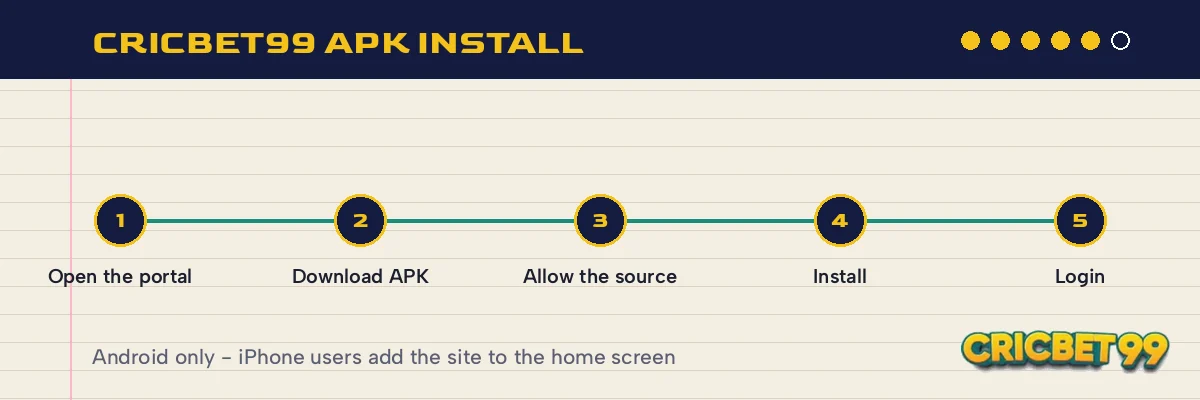
Both searches mean the same tap. Open the login shell on Android, press Download .apk, and the browser saves the cricbet99 apk to your Downloads folder; the seven-step over further down covers the rest, and the plain cricbet99 download search ends at that same file.
How the cricbet99 app download apk route runs in order
Portal address open in Chrome or Samsung Internet
Download .apk pressed once, file saved
Install unknown apps allowed for that browser
Install confirmed, icon placed on the home screen
Same User ID and password typed inside
What the cricbet99 app login screen asks for after install
User ID
The username already issued to you, unchanged by the install.
Password
The one you set after your first sign-in on the web.
Demo route
Login with Demo ID, practice balance only.
Why the cricbet99 app is not a Play Store search
The build is sideloaded from the portal, so a Play listing using the name is not the official file.
iPhone readers can jump to over 06 below, where a Safari shortcut stands in for the file and the sign-in pair stays identical.
CricBet99 Download APK on Android: Easy Step-by-Step Install
Seven moves, start to finish. Most phones finish them in a few minutes if the portal address is answering; the slow part is usually finding the right setting the first time, not the file itself.
Open the portal in your phone browser. Use Chrome or Samsung Internet on the Android handset you want the CricBet99 app on, not a laptop, because a file downloaded on a computer still has to be moved across before it can install.
Find Download .apk on the login shell. It sits below the two sign-in buttons; you do not need to log in first to press it.
Let the save run to the end. Progress shows in the notification shade, and a half-saved CricBet99 file is exactly what later throws the parsing message in over 05; if a prompt questions the apk type along the way, choose to keep it.
Find the saved cricbet99 apk. Your browser keeps finished files under the Downloads entry in its menu; pick the newest CricBet99 entry by time rather than by name.
Clear the stop the phone raises. This is the ball most first-timers miss: the CricBet99 file halts on a notice that names your browser. Follow its link into settings, switch that browser on (only that one), come back, and the same file carries on.
Confirm Install. The CricBet99 name and logo appear above the confirm control; tap it and give the progress line a moment before choosing Open.
Sign in with your existing ID. The CricBet99 icon now sits on your home screen; open it and type the same User ID and password you use on the website.
Step five is the one people get wrong. Not dangerous, just unfamiliar. If you skip the toggle, the install button simply never appears, and it looks as though the cricbet99 download failed even though the file is sitting safely in your Downloads folder waiting to be opened again once the browser has been allowed to install it.
A worked example makes the order clearer. Say you are on a Samsung handset and open the portal in Samsung Internet: you press Download .apk, the browser warns about the file type, you keep it, and a bar at the bottom offers Open. You tap it, Android says Samsung Internet is not allowed to install unknown apps, you take the Settings shortcut, flip the switch, press back, and the Install screen for CricBet99 is already waiting.
Then a short pause while it installs. Open, type type the username, type the password, done; the whole CricBet99 app download apk sequence is behind you and future updates follow the same lines with one fewer stop, since the permission is usually remembered.
The CricBet99 APK Unknown-Apps Toggle: Clear Wording per Browser
Since Android 8, permission to install outside Play is granted per app, not once for the whole phone. That means the toggle you need depends on which app opens the CricBet99 file. Wording shifts slightly between phone makers, so treat the lines below as close paraphrases rather than exact screen text.
Chrome
When you tap the downloaded file, a box says Chrome cannot install unknown apps for security reasons and shows a Settings link. That link opens Install unknown apps for Chrome; switch on Allow from this source and return. Chrome will then carry the CricBet99 APK through to the Install screen.
Samsung Internet
Same idea, Samsung layout. The prompt names Samsung Internet; the switch lives under Settings, Apps, Samsung Internet, Install unknown apps. On some One UI builds you reach it faster through Settings, Security and privacy.
Firefox
Firefox hands the file to Android's package installer, and Android asks the same question about Firefox. Allow it once.
File manager
If you open the cricbet99 apk from My Files or Files by Google instead of from the browser notification, the permission request names the file manager, not the browser. Allowing the file manager is fine too; it is just a different app holding the key.
Older phones on Android 7 or earlier have one master switch called Unknown sources under Security, and flipping that covers every app at once. Turn the toggle back off after the CricBet99 app is installed if you prefer; updates later will just ask again. Your call, really.
What if the switch is greyed out? On a work phone, or one with a parental-control app, an administrator policy may lock it, and no amount of tapping changes that; use the browser route described further down instead. On a personal phone a greyed switch usually means a different app opened the file than the one you allowed, so check which name the prompt shows and allow that one for the CricBet99 file.
CricBet99 App Login, the Same Verified ID Inside the App
Installing the app creates nothing new on the account side. The cricbet99 app login screen takes the username and password you already hold, the same pair the browser takes, and the balance it shows is the one tied to that ID. Typing rules for the fields, the eye toggle and forgotten passwords are covered on the CricBet99 login walkthrough.
Fresh CricBet99 App Install: First Real Sign-In
Open the new icon, type your User ID and password, and the app takes you into the same lobby the website shows. If the desk only just issued your ID, the password is still the temporary one from the WhatsApp chat; change it after this first login, inside the app or on the web, since both write to the same account. Want a look before using real money? Login with Demo ID is on the app's sign-in screen too, with a practice balance and no payout.
CricBet99 APK Update Over an Old Build: Same ID Kept
Download the newest file from the same portal control and install it on top of the existing app. Android usually asks whether to install an update to the existing application; say yes. Your ID and balance live on the account, not on the handset, so nothing about them changes. Where Android refuses the update, uninstall the old CricBet99 build first and then install the new one, and sign in again.
Signed in on the phone and on a laptop at once? Probably fine for reading the book, but sessions can drop when the same ID opens elsewhere, so pick one screen while you place anything.
One install, then the usual username and password: the app route on paper.
CricBet99 APK Error Wording Matched to a Fast Fix
Five messages cover nearly every failed CricBet99 APK install we hear about. Read the exact wording on your screen, match it below, and fix the cause rather than tapping Install again and again, which only repeats the same refusal.
Error on screen
Likely cause
Fix
App not installed
An older CricBet99 build is already on the phone and Android will not lay the new file over it, or the download stopped short.
Uninstall the old app, download again from the portal, install fresh, sign in with the same ID.
There was a problem parsing the package
The file is incomplete or damaged, often after a dropped connection or a rename that removed the .apk ending.
Delete the file, re-download on stable Wi-Fi, open it without renaming.
Insufficient storage
Not enough free space to unpack and install.
Clear photos, cache or unused apps, then open the same file again.
Download blocked or the portal will not load
Your browser flagged the file type, or your internet provider has blocked the address in India.
Choose Download anyway for the portal file; if the address itself is blocked, open a working mirror and press the control there.
App opens but sign-in fails
An old build is still installed, or the password was mistyped or is still the temporary one.
Install the newest file over it; retype the password; ask the desk for a reset if it keeps failing.
Expect one extra card on many phones. Google Play Protect flags anything whose developer Play does not recognise, and a file pulled from the CricBet99 login shell will never be recognised there because it was never submitted to Play in the first place. Look for Install anyway, sometimes tucked under More details. Annoying, but expected.
One more thing. If a cricbet99 apk download from some mirror site installs but shows a different logo, odd buttons or asks for card details before login, delete it; the genuine build only ever asks for User ID and password.
Repeat downloads cause a quieter mix-up. Each time you press the control again, Android may save a new copy with a number added to the name, so Downloads ends up holding two or three CricBet99 files of different ages, and tapping the wrong one reinstlls an older build than the one you just fetched. Sort Downloads by date, open the newest, and delete the rest once the install has gone through.
CricBet99 App on iPhone: Easy Safari Home-Screen Shortcut
No .apk runs on iOS, and the CricBet99 app is not in the App Store either. What an iPhone user gets instead is the portal pinned as an icon that opens full-screen, which behaves close enough to an app for daily use.
Open Safari and load the portal address you normally use for CricBet99; other iPhone browsers may not offer the same option.
Tap the Share icon, the square with an arrow pointing up, in Safari's toolbar.
Scroll the share sheet and choose Add to Home Screen.
Name the shortcut, CricBet99 is the obvious choice, and tap Add.
Open it from the home screen and sign in with the same User ID and password as on Android or desktop.
If the address you pinned gets bocked later, the icon will open a dead page; delete it and repeat these five taps on whichever CricBet99 address is answering, because the shortcut only stores one web address and cannot follow a move by itself.
Recent iOS versions also let some other browsers add a home-screen icon from their own share menu, though we have only walked the Safari route, so that is the one described here. The result is the same either way: a CricBet99 icon that opens the portal, not a downloaded app, which also means there is nothing to update; the page is always whatever the address serves today.
CricBet99 Without the App: Fast Phone Browser Route and Games
Some phones refuse sideloading altogether, usually work handsets with locked settings. Others simply lack space. Either way, the CricBet99 account does not depend on the app, and the browser path covers almost everything the installed version does, which is why plenty of people never bother with the file and just keep a bookmark to the mobile path on the home screen.
Mobile pathThe portal's phone-sized pages sit at the m/login and m/home addresses; the CricBet99 biz mobile path page explains both and why bookmarks use them.
Games on phoneCrash rounds, live tables and matka open inside the app or the browser alike; the CricBet99 game families are listed separately so this page stays on installing.
Same balanceWhichever route you choose, the CricBet99 ID and its balance are one account; switching between app and browser moves nothing.
CricBet99 Download Help: Real Support Desk for a Stuck Install
Over 05 did not clear it? Then the next stop is a person. One chat on +91 81097 11726 deals with CricBet99 install trouble as well as IDs and resets, and the CricBet99 WhatsApp number page covers adding that contact to your phone.
Send three details in the first message: your phone model and Android version, the exact error wording (a screenshot is easier than typing it), and the address you downloaded the CricBet99 APK from, because with those three facts the desk can usually tell straight away whether the problem is the file, the setting or a blocked address rather than asking you a string of follow-up questions. Keep it short. We avoid promising a reply time because none is published; in practice it depends on how busy the chat is. And if the trouble turns out to be the password rather than the app, that is a reset, which the same desk handles for CricBet99 accounts.
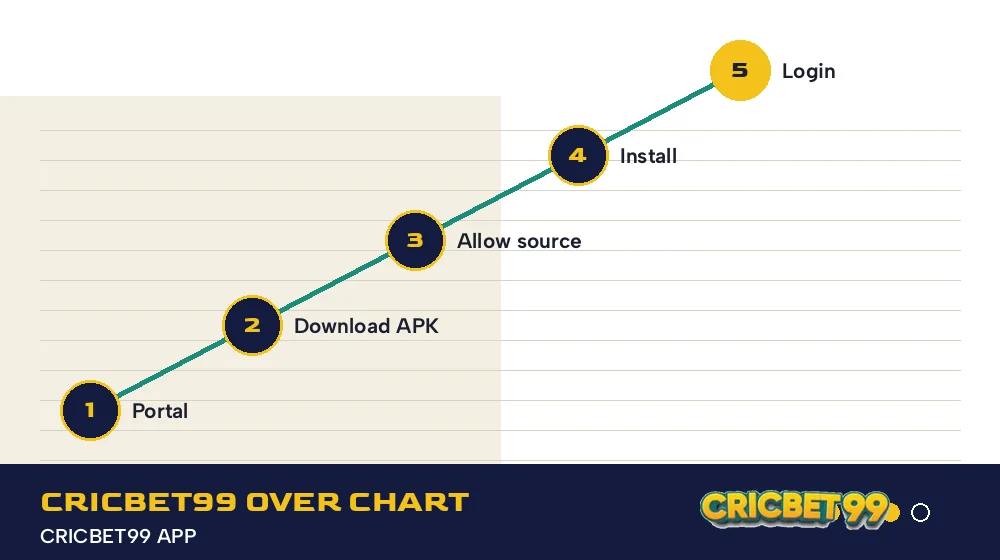
Five balls, one over: portal to signed-in app.
CricBet99 App FAQ: Clear Answers on APK, Login and iPhone
Third umpire review
How do I download the CricBet99 APK safely?
Open the CricBet99 login shell in your Android browser and press Download .apk. Accept the browser warning, open the saved file, allow installs from that browser when Android asks, then confirm Install. Take the file only from the portal, never from a file-mirror site, so you get the genuine build.
Is the CricBet99 app on the Google Play Store?
No, the CricBet99 app is not listed on the Play Store. It is an apk file linked from the official login shell and installed by sideloading, which is why Android asks you to allow installs from your browser. A Play listing using the name is not the official file.
Why is my CricBet99 APK not installing?
Usually an old build is in the way, the file is incomplete, or storage is full. Uninstall any older CricBet99 app, delete the half-finished file, free some space and download again on a steady connection. If the address will not load at all, it may be blocked, so try a working mirror.
Does the CricBet99 app login use the same ID as the website?
Yes, one CricBet99 ID covers both. The app screen wants the User ID and password you type on the website, so a reader who signed in through the browser last night types the identical pair today, and the balance carried there is the one shown. Swap any desk-issued temporary password once inside.
Is there a CricBet99 app for iPhone?
Not as a download, since iOS cannot run an apk and CricBet99 has no App Store entry. The workable route is a Safari shortcut: load the portal, use the Share sheet, add it to the Home Screen. The icon opens full-screen, and your username and password work there unchanged.
How do I update the CricBet99 app?
Repeat the original download, because the portal control serves the current CricBet99 build. Installing it on top keeps your sign-in, since the ID sits on the account rather than the phone. Should Android reject the overlay, remove the older app, install afresh and type the same username again.