CricBet99 Login — Easy Walk-In Past the Captcha Line to the Scorebook Odds
CricBet99 login needs three things: a User ID, its password and a passed captcha check, followed by one press of Login on the portal's sign-in card. Below, that card is read box by box, the cricbet99 login id and password pair is traced back to where it comes from, and the forgotten-password route is laid out step by step.
A rehearsal ticket only: the captcha arrives on the real CricBet99 card, not here, and these read-only boxes send nothing anywhere; IDs and rests come from the WhatsApp desk on +91 81097 11726, for adults 18+.
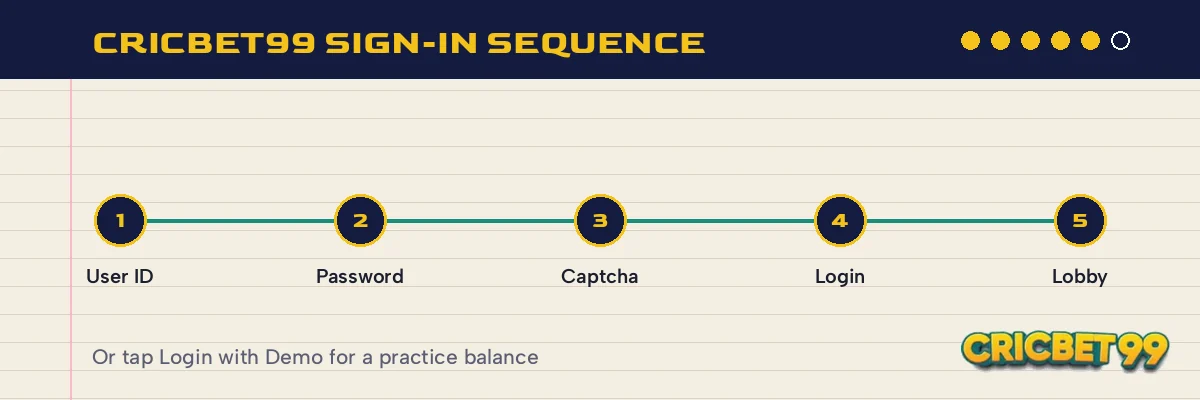
Fast CricBet99 Login: The Short Three-Step Drill
Three moves, done in order. Once a CricBet99 account exists, nothing else stands between the address bar and the match board, and most failed attempts come from doing the moves out of sequence rather than from a wrong password.
Pick the User ID tab and type the username. The CricBet99 card opens with a choice between Mobile Number and User ID; an account handed over by the desk is a username, so the User ID tab is the right one. Type it exactly as the WhatsApp chat spelled it.
Enter the password, then check it with the eye. One tap on the eye icon beside Password* shows the characters; compare them with the chat and tap again to hide them.
Clear the captcha and press Login. The captcha check guards the CricBet99 sign-in on every mirror address, and when it passes, Login drops you onto the sports strip and match board in a single screen change, with your own balance in place of the practice one the demo key would have shown.
That is the whole drill. A brand-new ID adds one extra job on day one (changing the temporary password), which the fourth section below covers.
Phone or laptop, the CricBet99 card asks for the same things in the same order. On a phone the browser browser may open the mobile path of the address, the one ending in m/login, and the card simply sits narrower on the screen; the boxes and keys are identical, so the drill above holds on both without any change.
CricBet99 Login Keywords: Clear Answers in One Secure Sheet
People reach this CricBet99 login page with several phrasings: cricbet 99 login, login cricbet99, cricbet99 id login. They all point at the same sign-in card, and the rows below sort them by what the searcher needs next.
Where the cricbet99 login id goes on this card
On this page's turnstile and on the real card alike, the cricbet99 login id fills the top box: User ID* on the lobby, User Name on the mirrors. Mobile-registered accounts sit on the neighbouring tab.
How the cricbet99 id login password is checked before Login
Type the password into Password*.
Use the eye toggle to read it back once.
Pass the captcha, then press Login.
Which cricbet99 login id and password problem matches your screen
Search phrase
What it usually means
cricbet99 login id and password
The username plus temporary password sent by the desk
cricbet99 login id and password forgot
Username messaged to the CricBet99 desk; the reply holds a fresh temporary password
cricbet99 id login
Signing in under the User ID tab rather than Mobile Number
Why the forgot route runs through the official desk
The full sequence is the sixth over further down. In short: username to the CricBet99 desk, starter password back in the chat, your own password after the next sign-in.
CricBet99 ID Login Fields Explained: Clear Labels, Real Order
Every box on the CricBet99 sign-in card has one job. Most refused attempts trace back to a single box holding the wrong thing, so it pays to know what each one expects before the first try rather than after the third.
Mobile Number tab
The left-hand choice on the lobby version of the card. It suits an account registered through the CricBet99 sign-up form, where a mobile number with the +91 prefix and an OTP were used to create the login; in practice most desk-issued IDs never touch this tab.
User ID tab
The choice for anyone holding a username from the WhatsApp desk. Switching tabs clears nothing you have paid for; it only changes which identifier the card is waiting for.
User ID*
The asterisk means required. Type the CricBet99 username here with no space before or after it. On the mirror addresses this box reads User Name, a different label for the very same identifier.
Password* with the eye toggle
Characters are hidden by default. The eye icon flips them visible so you can catch a stray capital or a missing digit, and flips them back. Forgot Password? sits just under this box for the moment memory fails.
A note on order, since it trips people more than you would expect: the tab choice comes first, because switching tabs after typing can leave the username sitting in a box that no longer applies, and the CricBet99 card then reports a failure that has nothing to do with the password at all. Tab, then name, then password.
Below the boxes, the lobby card carries a few extras that are easy to mistake for part of the sign-in. A block offering a ready-made ID over WhatsApp leads to the desk, not to the lobby. A row of Or Login With icons sits lower down, and a Don't Have An Account? Register line opens the sign-up form for anyone without a CricBet99 username yet. None of these replace the username and password; if you already hold an ID, ignore them and use the User ID tab.
CricBet99 Login vs Login with Demo, Which Key Is the Right, Safe Start
Two keys sit next to each other at the bottom of the CricBet99 card. They look alike and do very different things.
CricBet99 Login, the real account entry
Login checks your username and password against your account and, after the captcha, opens the lobby with your own balance. Deposits and withdrawals on that balance go through the desk over Indian rails such as UPI, bank transfer and wallets.
Login with Demo, free CricBet99 practice entry
Opens a practice balance instead of your account.
No deposit is involved.
Nothing won there is ever paid out.
Mirror addresses label it Login with Demo ID.
Pick by purpose. Demo is useful for seeing how the CricBet99 match board and back and lay columns behave before money is involved; Login is the only key that touches a real balance, and ayone who taps Demo by mistake will see figures that look plausible but are not theirs, which is a common source of confused messages to the desk.
There is a third key under the same card, Download APK, which is not a login at all; it fetches the Android app covered in the last section. Easy to tap by accident on a small screen.
CricBet99 Login ID and Password, Where the Genuine Pair Comes From
Searchers type cricbet99 login id and password as one phrase, yet the card wants two answers in two boxes. Both arrive together in the WhatsApp message that opens a CricBet99 account, the username for User ID* and a desk-chosen password for Password*, and that password has already been through a chat, which is exactly why it is temporary. Replace it on the first CricBet99 visit.
How the account itself gets created, and what a new ID covers across cricket, casino tables and crash rounds, belongs on the CricBet99 ID page. This page starts at the moment the pair lands in your chat. Short version.
A worked example makes the order clearer. Say the desk chat shows a username and a password of mixed letters and digits. You open the CricBet99 card, stay on the User ID tab, paste the username, type the password by hand, read it back with the eye, clear the captcha and press Login. The lobby appears. Before touching the match board you set a new password that appears in no chat, sign out, and sign back in with it once to prove it works, which saves a reset request later.
The first desk message is the scorecard of record. Whatever label the CricBet99 card prints, User ID on the lobby or User Name on the mirrors, the spelling in that message wins, capitals included, and it is also the fastest way to show the desk which ID is yours if a reset is ever needed.
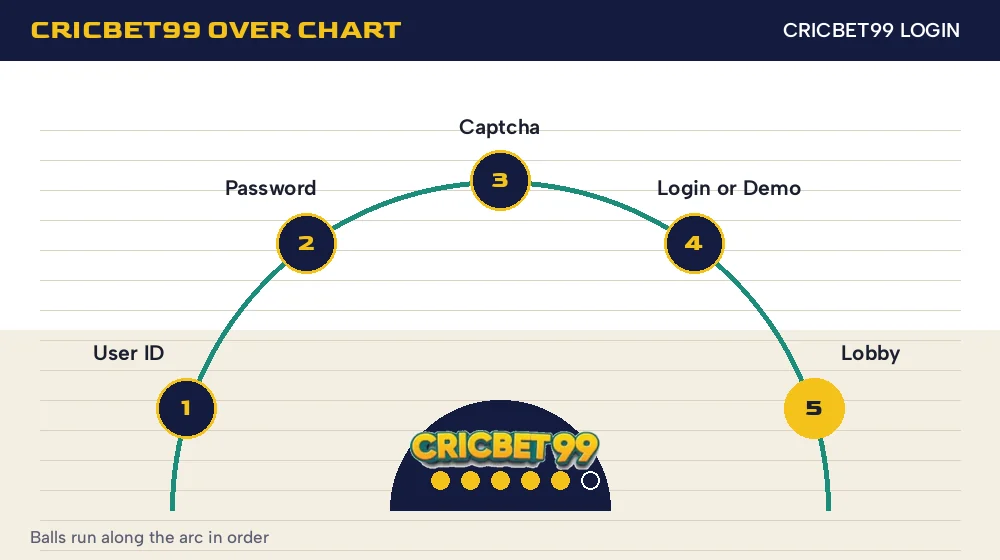
Username, password, captcha, Login: the CricBet99 sign-in written down like an over.
CricBet99 ID Login Not Working? Quick Fixes for Real Errors
When a CricBet99 ID login fails, the card rarely says why. The table matches what you see to the usual cause, roughly in the order these problems turn up.
Symptom on screen
Likely cause
Fix
Password refused although you are sure of it
Caps Lock left on at a desktop keyboard
Caps Lock off; reveal with the eye before pressing Login again
Username refused on a phone only
The phone keyboard capitalised the first letter on its own
Delete the first letter and retype it in the case the desk sent
The old password keeps filling itself in
Browser autofill saved the temporary password before you changed it
Clear the box, type the new password, and update or delete the saved entry
A pasted ID fails, a typed one works
A trailing space copied from the WhatsApp chat
Remove the space or simply type the username
Captcha area blank, or the address will not load at all
The captcha script did not load, or the address is blocked by your network
Reload once, then open another working mirror address
The last row needs a word more. Betting addresses get blocked by Indian internet providers every so often, and when that happens the fix is a different address rather than a different password, because the same CricBet99 ID and the same balance work on any mirror that loads; the cricbet99 win mirror is one such address. Old bookmarks are the other trap. A saved link ending in m/login opens the mobile path of whichever address it was saved from, so if that address is down, the bookmark is down with it.
A quieter failure: Login pressed, nothing happens. On the CricBet99 card that usually means the captcha has not finished its check yet, so the key is waiting rather than broken. Give it a moment and press once; hammering the key several times in a row only restarts the check, and on a slow mobile connection that can loop for a while before anything moves.
Still stuck after all five? Message the CricBet99 desk with your username and a screenshot of the card.
One case deserves its own line because it fools people for days. You change the temporary CricBet99 password in the lobby, everything works, and a week later the phone refuses you. More often than not the browser quietly kept the old temporary password in its saved logins and filled it in on the next visit, so the card is rejecting a password you no longer use. Clear the box, type the current one, and replace the stored entry so it stops happening.
CricBet99 Login ID and Password Forgot: The Official Desk Reset
Forgetting the password is common, and the cricbet99 login id and password forgot route is short. Resets for CricBet99 accounts run through the WhatsApp desk, the same desk that issued the ID.
Stop guessing after a couple of tries. Repeating near-misses on the CricBet99 card tells you nothing new, and a reset is quicker than a fourth guess.
Use the line under Password* or go straight to WhatsApp. On the lobby card, Forgot Password? hangs just beneath the eye toggle; the plainer mirror cards offer a Contact On Whatsapp key lower down instead. Both routes land at +91 81097 11726, and the CricBet99 WhatsApp number page lists the desk's details in full.
Put the username in the first line of the message. A bare request for a reset leaves the desk asking which CricBet99 account you mean; leading with the username settles that, and the answer comes back as a new temporary password in the same thread.
Run the drill from the top with the new password. Tab, username, the reset password read back with the eye, captcha, Login. Then set your own password while the CricBet99 lobby is still open.
Forgot the username too? Same desk, same chat. Give the details you used when the account was set up and the desk can tell you which CricBet99 ID belongs to you, which is honestly the more common problem when an ID sat unused for a season (people remember the password and lose the name).
After the CricBet99 Login: What the Live Lobby Shows First
A successful CricBet99 login replaces the card with the lobby. Here is what to look for so you know the sign-in really worked.
Sideways sport rowHOME sits at the left end; swipe the CricBet99 row to reach KABADDI, MATKA, FANTASY CRICKET and the rest past the first few labels.
Match boardFixtures listed with Match, 1, X and 2 columns, back cells on one side and lay cells on the other, with each fixture's date and time in IST.
Others menuOn a wider screen, a left sidebar groups Casino Slot, Evolution, Fantasy Cricket and WORLI MATKA.
Mirror startOn mirror addresses the screen before all this carries the page title Index.
If you typed a CricBet99 search into a browser and landed on a plain card titled Index instead of a branded lobby, nothing is wrong: that is the login shell the mirrors use, and the CricBet99 Index screen page goes over what sits on it. Sign in there and the same lobby follows. One check is worth doing every time, though, because a demo session and a real one look almost identical on the match board: confirm the balance shown is yours, not the practice figure.
Cricket readers tend to head for the CRICKET label first, and in season that is where IPL match markets appear. Prices on those rows belong to the signed-in state, so a CricBet99 board showing fixture names without figures usually means the sign-in has not finished, not that the market is shut.
Signed out without meaning to? Coming back is the same three moves on the same card, and the CricBet99 lobby picks up where the account left off, since balances sit on the account and not on the address or device you used last time.
Same CricBet99 Login on the Android App: Quick and Secure
One ID, two doors. The CricBet99 username and password that work in the browser are the same ones the Android app asks for, so there is nothing new to register before using it.
The app is an .apk file taken from the official portal through the Download APK key on the login card rather than from the Play Store, which is why Android asks you to allow installs from that source before it will finish, and once installed it shows the same CricBet99 sign-in order: tab, username, password, captcha, Login. iPhone users stay in the browser and can pin the card with Safari's share menu and Add to Home Screen. Install steps and the permission prompt are covered on the CricBet99 app download page.
On an iPhone, the pinned home-screen icon simply reopens the CricBet99 card in Safari, so the username, password and captcha order above applies unchanged and there is no separate iPhone password to request from anyone.
Each ball of the CricBet99 sign-in over, from the username box to the lobby.
CricBet99 Login FAQ: Quick, Clear Answers
Third umpire review
How do I log in to CricBet99 the fast way?
Stay on the User ID tab, put the username from your desk chat into User ID* and the password into Password*, get past the captcha and press Login; the match board loads where the card was. A brand-new CricBet99 ID still needs its starter password replaced on that first visit.
What is the CricBet99 login ID and password?
Two separate pieces from one desk message: the username, which goes in User ID* under the User ID tab and never changes, and a starter password for Password*, checked with the eye toggle. Only the second is meant to be swapped, during your first visit to the CricBet99 lobby.
CricBet99 login ID and password forgot, what is the official fix?
Write to the desk on +91 81097 11726 and lead with your CricBet99 username. The reply carries a new starter password; run the usual tab, username, password, captcha order with it, then pick your own. Lost the username as well? The desk matches it from what you gave at setup.
Does the Mobile Number tab on the CricBet99 login card work for desk IDs?
Not usually. That tab expects the number an account was registered with on the CricBet99 sign-up form, the one with the +91 prefix and an OTP. A username from the WhatsApp desk goes under the User ID tab, and the Password* box below behaves the same on either tab.
CricBet99 login captcha not loading, does it mean my ID is locked?
No, a blank captcha says nothing about your CricBet99 account; the check simply never reached the screen, often because that address is being blocked. Refresh once. If the area under the keys stays empty, open another mirror that loads, where the reCAPTCHA notice should reappear and your username still works.
What shows right after a successful CricBet99 login?
The CricBet99 lobby: a sport strip across the top with HOME, CRICKET, FOOTBALL and more, a match board with Match, 1, X and 2 columns and back and lay cells, and a sidebar of casino and matka sections on wider screens. Check that the balance shown is your own.